Driving School Simulator: Features, Modes, and Tips
Learn how Driving School Simulator works, including its driving lessons, cars, maps, missions, game modes, controls, and practical tips for improving your performance.
Driving School Simulator: Features, Modes, and Tips
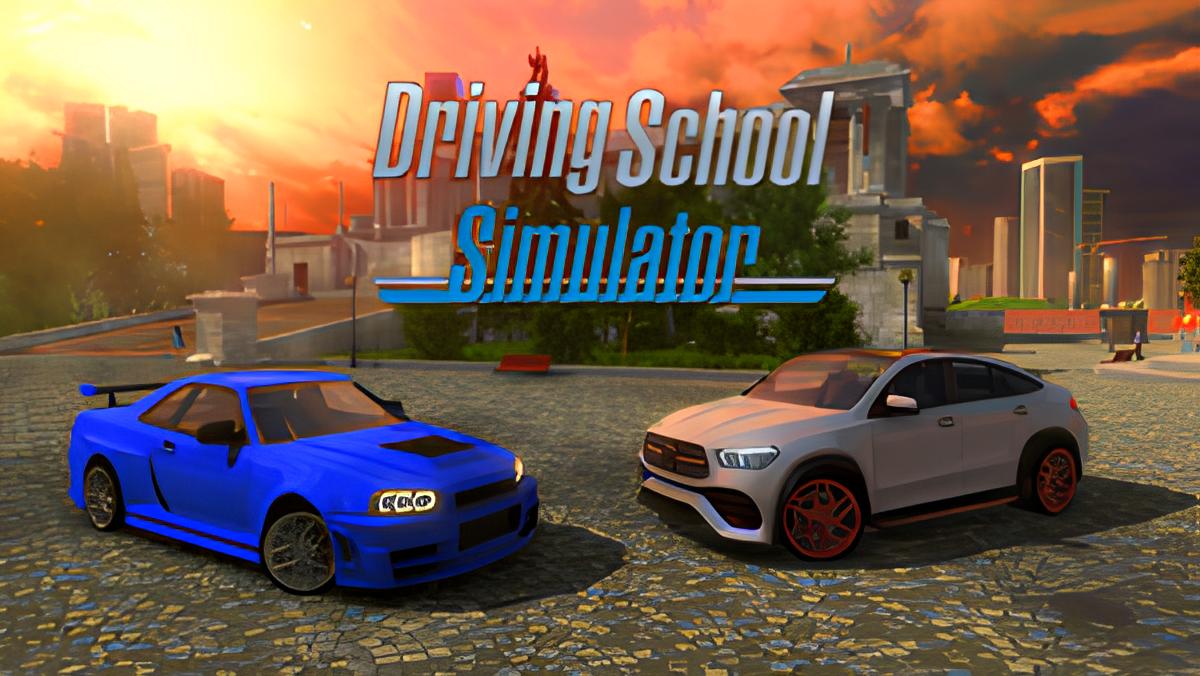
Driving School Simulator is a vehicle simulation game that combines driving lessons, traffic rules, open-world exploration, missions, and car customization. Depending on the version and platform, the game offers different vehicle counts, maps, and activities, so players should check the relevant store listing before purchasing or downloading it.
This guide explains the main gameplay systems, available vehicles, driving modes, controls, progression tips, and common questions about Driving School Simulator.
What Is Driving School Simulator?
Driving School Simulator is designed to make players practice road awareness while completing driving challenges. The gameplay usually focuses on obeying traffic rules, controlling the vehicle safely, completing missions, and improving driving accuracy.
The game is more structured than a typical arcade racing title. Instead of only competing for speed, players may need to use indicators, stop at traffic lights, avoid collisions, follow road signs, and park correctly.
What Makes the Game Different?
The main difference is the combination of simulation and progression. Players can learn basic driving habits in missions and then apply them during free-roaming activities, races, or more advanced challenges.
- Driving lessons and rule-based missions.
- Traffic systems with computer-controlled vehicles.
- Multiple maps and environments.
- Free Drive or Free Roaming modes.
- Vehicle collections and customization.
- Different weather and lighting conditions in supported versions.
What Features Are Available?
Features vary between editions, platforms, and game versions. For example, the Nintendo Switch listing describes 50 vehicles, 75 missions, eight open regions, three race tracks, Free Ride mode, vehicle customization, and four driving conditions: daytime, nighttime, dusk, and rain.
The PlayStation listing describes a separate version with 30 cars, realistic traffic, dynamic weather, first-person camera mode, Free Drive, and eight detailed environments. These differences show why the platform should always be included when discussing the game’s content.
| Feature | How It Affects Gameplay |
|---|---|
| Driving missions | Players complete objectives such as following rules, reaching destinations, or parking accurately. |
| Traffic AI | Computer-controlled traffic creates additional challenges at intersections and busy roads. |
| Dynamic weather | Rain, snow, or changing conditions can require slower and more careful driving in supported versions. |
| Free Drive | Players can explore maps without following a fixed mission objective. |
| First-person camera | The interior view increases immersion and helps players practice judging road position. |
| Customization | Players can change the appearance of selected vehicles using paint, wheels, body parts, or interior options. |
According to the Nintendo Store listing, the supported edition includes vehicles in several categories: hatchbacks, sedans, coupes, SUVs, supercars, and hypercars. The PlayStation and Xbox listings describe different vehicle collections, including sedans, pickup trucks, muscle cars, 4x4 vehicles, buses, and a supercar.
How Many Cars and Maps Are There?
The answer depends on the edition being played. The Nintendo Switch version lists 50 vehicles and eight open regions, while the PlayStation version lists 30 cars and eight environments. The Xbox listing describes more than 30 vehicles and nine locations.
| Platform or Listing | Vehicles | Maps or Regions | Additional Content |
|---|---|---|---|
| Nintendo Switch | 50 vehicles | 8 open regions | 75 missions and 3 race tracks |
| PlayStation | 30 cars | 8 environments | Traffic AI, dynamic weather, and first-person mode |
| Xbox | More than 30 vehicles | 9 locations | Free Roaming and changing weather |
| Mobile version | More than 150 vehicles in the App Store listing | Depends on the current version | Tuning and several vehicle categories |
The mobile listing for Driving School Simulator by Alexandru Marusac advertises more than 150 realistic vehicles, including sports cars, SUVs, off-road vehicles, sedans, supercars, hypercars, and hatchbacks. This is a different product listing from Car Driving School Simulator, so the names should not be treated as interchangeable.
What Game Modes Can Players Try?
Driving School Simulator typically offers several ways to play, from structured lessons to open exploration. Beginners should start with missions because they introduce the controls and traffic rules gradually.
Driving Lessons and Missions
Missions provide specific objectives and usually evaluate the player’s accuracy. A successful attempt may require obeying signals, using indicators, keeping control of the vehicle, and avoiding collisions.
- Read the mission objective before moving.
- Check the road, traffic lights, and nearby vehicles.
- Use indicators before turning or changing lanes.
- Maintain a controlled speed instead of accelerating constantly.
- Finish the objective carefully and review the result.
Free Drive or Free Roaming
Free Drive allows players to explore maps at their own pace. It is useful for practicing intersections, learning road layouts, testing vehicles, and becoming familiar with traffic behavior without the pressure of a timed objective.
Race Tracks and Challenges
Some versions include dedicated race tracks, drag races, or other performance challenges. These activities are useful for testing acceleration and handling, but they do not replace rule-based driving missions.
What Are the Basic Controls?
Controls vary by platform, but the browser version listed by CrazyGames uses keyboard inputs for driving and vehicle functions. The listed controls include W for acceleration, S for braking, A and D for steering, Q and E for turn signals, H for the seatbelt, C for camera, Space for the handbrake, and L for lights.
| Action | Keyboard Control |
|---|---|
| Accelerate | W |
| Brake | S |
| Steer left | A |
| Steer right | D |
| Left indicator | Q |
| Right indicator | E |
| Seatbelt | H |
| Change camera | C |
| Handbrake | Space |
| Lights | L |
On consoles and mobile devices, the button layout can be different. Players should check the in-game settings or control guide before starting difficult missions.
How Can You Improve Your Driving Performance?
The fastest way to improve is to prioritize accuracy over speed. Most rule-based missions reward controlled driving, while excessive acceleration increases the risk of collisions, missed turns, and penalties.
Practical Driving Tips
- Reduce speed before intersections, sharp turns, and narrow roads.
- Brake early instead of waiting until the vehicle is close to an obstacle.
- Use the first-person camera when practicing lane position and interior controls.
- Activate indicators before turning or changing lanes.
- Leave enough distance from traffic ahead to react safely.
- Practice parking in Free Drive before attempting timed parking missions.
- Use a slower vehicle while learning a new map or control scheme.
- Replay missions to improve scores rather than immediately moving to the hardest challenge.
If a mission requires a high score, avoid unnecessary contact with traffic and roadside objects. A clean, slower attempt is often more effective than a fast attempt that includes several mistakes.
Is Driving School Simulator a Real Driving Course?
No. Driving School Simulator is a video game and should not be treated as a replacement for professional driving lessons. Its traffic rules and controls can help players understand basic concepts, but real driving requires an instructor, a suitable vehicle, and knowledge of local laws.
Traffic signs, right-of-way rules, speed limits, and road markings may differ between the game and the player’s country. In Indonesia, players should use official materials and licensed instructors when preparing for a real driving test.
Frequently Asked Questions
Is Driving School Simulator available on PC?
Availability depends on the specific title. A Steam listing for Driving School Simulator describes 17 vehicles, more than 30 levels, city and mountain environments, Free Ride mode, and support for keyboard, gamepad, and steering wheel controls. Other editions may be available on mobile, console, or browser platforms.
Does the game include multiplayer?
Multiplayer availability depends on the edition and current version. Store descriptions cited for the versions discussed here emphasize single-player missions, traffic AI, Free Drive, and exploration. Check the official store page for the exact platform before assuming online multiplayer is included.
Can players drive buses and trucks?
Some editions include larger vehicles. The Steam version lists cars, buses, and trucks, while the Xbox listing mentions buses among its vehicle categories. The available vehicle types can differ by platform.
Does the game support realistic weather?
Several versions advertise dynamic weather or selectable driving conditions. The Nintendo Switch listing names daytime, nighttime, dusk, and rain, while the Xbox listing mentions sunny days, rain, and snow.
Is the game suitable for beginners?
Yes, the lesson-based structure can make it suitable for beginners who want a slower introduction to vehicle controls. However, players should remember that the game is entertainment software and cannot replace supervised practice on real roads.
Sources and Version Notes
Game details in this article were checked against platform listings and the browser game page. Because the title is used by multiple products, vehicle counts, maps, missions, controls, and modes may change between editions.