Google Play Games on PC 2026: Worth It or Just BlueStacks?
Google's official Android-on-Windows client works in 120+ countries with 4K support — but only runs games developers opted into, and Google won't publish how many. Honest comparison against BlueStacks and LDPlayer.
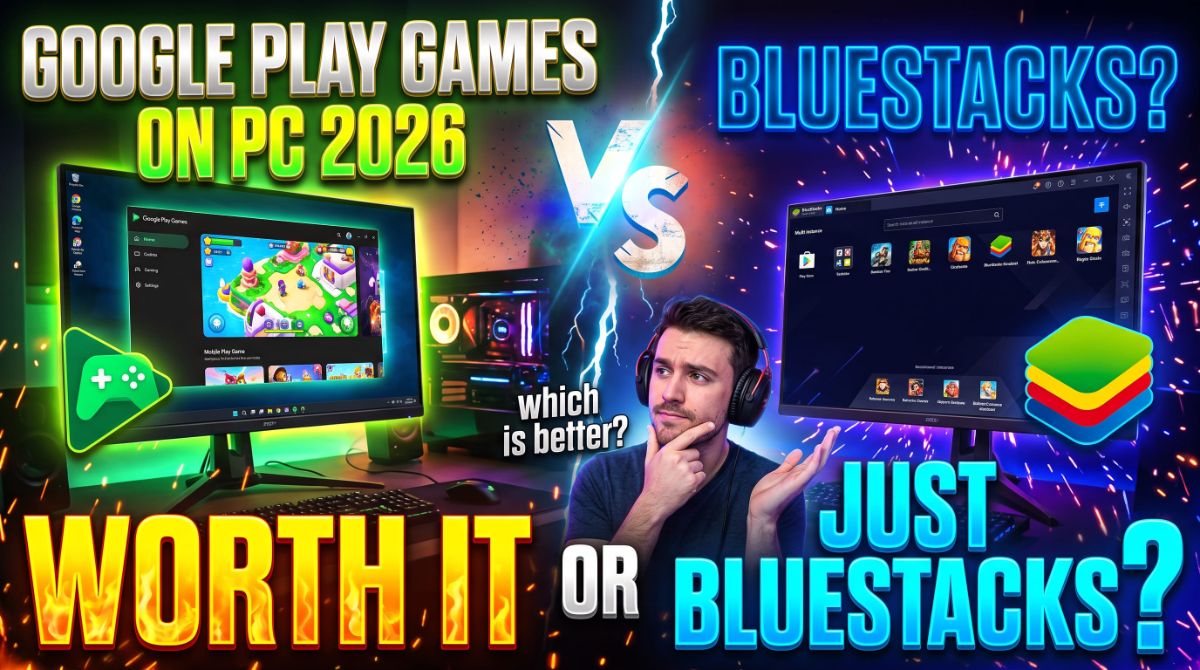
Google Play Games on PC 2026: Worth It or Just BlueStacks?
Google Play Games on PC is Google's official Windows client for Android games, available in 120+ countries — but it only runs games that developers have explicitly opted into, and Google still will not publish how many that is. If the games you play are in the catalog, it is the cleanest and safest option. If they are not, BlueStacks or LDPlayer give you the whole Play Store plus per-game performance tuning. This guide compares them honestly so you can pick the right one.
Quick Answer: Which Should You Use?
| Your situation | Use |
|---|---|
| You play 3-4 big mobile games that are in Google's catalog | Google Play Games on PC |
| You play anything outside the catalog, or RPGs, gacha, strategy | BlueStacks or LDPlayer |
| You run multiple accounts or daily-grind several games at once | BlueStacks (multi-instance) |
| You want deep control over CPU, RAM, resolution and FPS | BlueStacks or LDPlayer |
| You only want official Google software with no ad-upgraded installer | Google Play Games on PC |
| You want AAA or Steam library games | Neither — use Steam |
System Requirements (Official)
Google's minimum and recommended specifications, straight from the support documentation:
| Component | Minimum | Recommended |
|---|---|---|
| OS | Windows 10 (v2004) | Windows 10 (v2004) |
| Storage | SSD with 10 GB free | SSD with 10 GB free |
| Memory | 8 GB RAM | 8 GB RAM |
| Graphics | Intel UHD Graphics 630 or comparable | Gaming-class GPU (e.g. Nvidia GeForce MX450) |
| Processor | 4 physical CPU cores | 8 logical cores |
| Other | Windows admin account, hardware virtualization on | Same |
Two requirements catch people out. First, the SSD must be your boot drive — Google states this explicitly and it is the most common install failure. Second, hardware virtualization must be enabled in your BIOS, and during installation Google may ask you to turn on the Windows Hypervisor Platform. Neither is optional.
What You Get at 4K
Google's developer documentation confirms support for resolutions up to 4K, with users able to select their preferred resolution, and microphone support on supported games. Google also states you can expect performance comparable to a high-end Android device released in the last 12 months — not a discrete desktop GPU equivalent, but far better than a mid-range phone.
Availability: 120+ Countries
Google Play Games on PC is available across 120+ countries, including every market in your target regions:
- United States and Canada
- Middle East and North Africa: Egypt, Iraq, Jordan, Kuwait, Lebanon, Morocco, Oman, Qatar, Saudi Arabia, Tunisia, UAE, Yemen
- Southeast Asia: Indonesia, Malaysia, Philippines, Singapore, Thailand, Vietnam
- Also: Australia, Brazil, India, Japan, Korea, Mexico, Russia, South Africa, Taiwan, Turkey, United Kingdom, and most of Europe
Two account conditions apply: you need a personal Google Account (not a managed work or school account), and your Play country must be set to a supported region. Some regions require age verification.
The Real Problem: The Library Is Opaque
This is the crux of the comparison, and it is where most guides go soft. Google's marketing cites 200,000+ games on Google Play Games — but that figure covers mobile and PC combined. Google has never published a breakdown of how many Android games are actually playable on PC.
The consequence is that you cannot reliably know whether your game is supported before you install and find out. Google maintains a tiered classification system that actually confirms the problem exists:
- Optimized — built for PC with high-resolution assets and large-screen UI
- Playable — runs, with compromises
- Untested — no guarantee
- Unsupported — will not work properly
- Not available — cannot be installed at all
Google has an entire help page dedicated to specific NCSOFT titles being unavailable, plus a community thread for developers whose games did not get listed. When a platform needs that much infrastructure to explain what does not work, the answer is clear.
2026 Updates: What Actually Changed
Google announced significant changes at GDC 2026, reported by Ars Technica and PCWorld:
| Update | Detail |
|---|---|
| Game Trials | One-hour trials like Steam, starting with select titles such as Dredge. Android-first, coming to Windows later |
| PC storefront tab | A Windows-specific tab in the mobile and web Play Store highlighting desktop-optimised content |
| Wishlists | Wishlist games from any platform; developers can push sale notifications to wishlisters |
| Sidekick AI | An AI assistant enabled for some games — ask for hints and trade tips with community posts |
| Premium titles | Sledding Game, 9 Kings, Potion Craft and Moonlight Peaks launching in 2026; Low Budget Repairs in 2027 |
| Cross-buy | Opt-in programme so a Windows purchase includes Android access — developers must enrol |
Two important limits on the 2026 changes. First, cross-buy does not work retroactively — if you already bought a game on Android, the Windows purchase does not pick it up, and Android premium upgrades do not necessarily carry over depending on developer support. Second, Play Games for Windows has historically supported very few paid games outside Play Pass, and some Play Pass content has been absent because developers opted out. Google now says developers can choose to make Play Pass content available on both platforms.
PCWorld's assessment is worth reading as a summary of the market: with roughly 2 billion monthly Google Play players, Google is adding premium games incrementally, but the platform still lacks AAA titles, subscription services, and the free-game incentives competitors offer. Google's VP of Games Aurash Mahbod declined to say whether Google would follow competitors with a subscription service.
Google Play Games on PC vs BlueStacks vs LDPlayer
| Feature | Google Play Games | BlueStacks | LDPlayer |
|---|---|---|---|
| Official Google client | Yes | No | No |
| Game library | Curated, opt-in only | Broad Play Store access | Broad Play Store access |
| Free-form app sideloading | Not supported | Supported | Supported |
| CPU / RAM allocation | Locked | Adjustable | Adjustable |
| Resolution and FPS control | Up to 4K, limited | Full control | Full control |
| Keymapping presets | What the developer set | Custom per game, multi-profile | Custom |
| Multiple simultaneous instances | Not available | Yes | Yes |
| Ad-free option | No ads beyond in-game | BlueStacks Prime | Varies |
| Multi-account management | Supported | Supported, per-instance | Supported |
| Minimum spec bar | 8 GB RAM, SSD, 4 cores | Lower, tunable to match hardware | 2 GB RAM official minimum, 16 GB recommended |
On performance, community testing is consistent. Users running both side by side report that Google Play Games is fine for three or four big-name games but "falls apart fast" the moment you want anything else, because it only works with games that specifically opted in. BlueStacks users also highlight the control difference — Google Play Games gives you whatever preset the developer configured, which for many games is barely anything, while BlueStacks allows remapping every button and saving separate setups per game.
On keyboard and mouse, the two are closer. Hands-on testing with a GameSir Tarantula Pro and Mamba One series gamepad found both accepting non-touchscreen input without significant issues, though controller support varies per game. BlueStacks holds a slight edge for on-screen control customisation and for systems without a touchscreen.
Play Points: A Reason Most People Miss
Beyond gaming itself, Google Play Games on PC lets you sync progress and earn Play Points whether you play on computer or mobile device. This is a genuine structural advantage — the same Google account, the same rewards progression, whether you are on your phone or at your desk. Emulators generally do not integrate with Play Points in the same way.
Which Should You Pick?
Use Google Play Games on PC if:
- You only play games from the supported catalog and have confirmed they are Optimized or Playable
- You want official Google software rather than a third-party client with its own ad-upsells
- You want Play Points and cross-device progress sync in the same account
- You want up to 4K resolution without manual tuning
- You want keyboard and mouse working correctly with no keymapping effort
Use BlueStacks or LDPlayer if:
- You play titles outside the catalog, particularly RPGs, strategy, gacha or shooters
- You need per-game CPU and RAM allocation, FPS caps or resolution tuning
- You run multiple accounts side by side for daily tasks
- You play on an older PC where tuning matters more than polish
- You want to sideload apps outside the Play Store
Use neither if:
- You want AAA titles, indie gems or simulation games — that is what Steam is for, and Google Play has no equivalent
- You want a subscription service — Google has explicitly not committed to one
Common Mistakes to Avoid
- Assuming all Play Store games work. Only opt-in titles run. Check the tier on the game page before installing anything
- Installing with an HDD as the boot drive. Google requires an SSD as the main drive; this is the most common install failure
- Not enabling hardware virtualization in BIOS. You may be asked to enable the Windows Hypervisor Platform during installation
- Buying on Android and expecting the Windows copy. Cross-buy is opt-in for developers and does not work retroactively
- Using a managed work or school Google account. A personal account is required
- Treating it as a Steam replacement. MakeUseOf's verdict is blunt: for anyone whose PC gaming includes triple-A or mid-tier titles, Steam likely already has it
- Expecting cross-save everywhere. Play once, play anywhere only works for games that support PC with cross-save — a much smaller list than advertised
Frequently Asked Questions
What are the Google Play Games on PC system requirements?
Windows 10 version 2004 or later, an SSD with 10 GB free, 8 GB RAM, Intel UHD Graphics 630 or comparable, and 4 physical CPU cores. Recommended for better performance: a gaming-class GPU like Nvidia GeForce MX450 and 8 logical cores. A Windows admin account and hardware virtualization are also required.
Is Google Play Games on PC free?
Yes, the client is free to download and run. Some games in the catalog are paid titles, and Google announced one-hour Game Trials plus more premium games for 2026.
How many countries is Google Play Games on PC available in?
120+ countries, including the US, Canada, most of Europe, India, Japan, Korea, Australia, Brazil, Mexico, and across the Middle East and North Africa — UAE, Saudi Arabia, Egypt, Iraq, Jordan, Kuwait, Lebanon, Morocco, Oman, Qatar, Tunisia and Yemen.
Can I play any Android game on PC with Google Play Games?
No. Only games whose developers have opted in are available. Google classifies titles as Optimized, Playable, Untested, Unsupported or Not available, and has never published how many of its 200,000+ games fall into the playable categories.
Is Google Play Games better than BlueStacks?
For a small number of supported games, it is official, cleaner and integrates Play Points. For broad compatibility, multi-instance support and performance tuning, BlueStacks is better. The practical answer from community testing: Google Play Games for three or four big games, BlueStacks for everything else.
Does Google Play Games on PC support 4K?
Yes. Google's developer documentation confirms resolution support up to 4K with user-selectable settings, plus microphone support for supported games. Performance is expected to match a high-end Android device from the last 12 months rather than a discrete desktop GPU.
Can I play multiple games at once on Google Play Games on PC?
Google provides a help page on playing multiple games simultaneously and managing multiple accounts, but the widely reported limitation is that BlueStacks and LDPlayer offer far more robust multi-instance support — running two accounts side by side for daily tasks is routine on BlueStacks and not available on Google Play Games.
Conclusion
Google Play Games on PC is the official path for playing Android games on Windows, and in 120+ countries it is genuinely convenient — especially for a handful of big titles, with up to 4K resolution, working keyboard and mouse, Play Points integration and no third-party installer. Its weakness is structural: the catalog is opt-in, the number is never published, and Google has an entire help page for games that cannot be installed. 2026's updates — Game Trials, a PC storefront tab, Sidekick AI and a first wave of premium titles — are real progress, but cross-buy is opt-in, does not work retroactively, and paid games outside Play Pass remain scarce. If your games are in the catalog, use it. If you play anything else, or you want performance tuning or multiple accounts, BlueStacks or LDPlayer give you more. And if you want AAA PC games, Steam is still the answer.
Published: October 8, 2026 | Updated: October 8, 2026
Sources: Google Play Help — PC requirements and country availability — support.google.com; Android Developers — Google Play Games on PC overview and feature updates — developer.android.com; Android Developers — graphics and 4K resolution configuration — developer.android.com; Ars Technica on GDC 2026 announcements, cross-buy limits and Play Pass gaps — arstechnica.com; PCWorld on Game Trials, Sidekick and Google's PC gaming position — pcworld.com; MakeUseOf hands-on assessment versus Steam — makeuseof.com; Android Authority on WSA shutdown and emulator comparison — androidauthority.com; XDA controller and performance comparison — xda-developers.com; Tech Insider emulator spec requirements — tech-insider.org; Reddit community testing on r/AndroidGaming — reddit.com; BlueStacks official feature comparison — bluestacks.com. Note: BlueStacks and LDPlayer comparisons draw on vendor-published benchmarks for BlueStacks, which should be read as vendor claims. Game library figures and feature availability change frequently as Google ships updates.